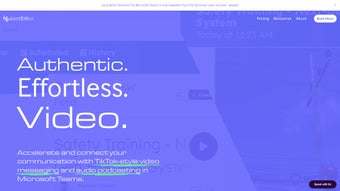

Download Soundbite – AI‑Powered Internal Communication Platform
Introduction: Why Modern Teams Need Soundbite
In today’s fast‑paced business environment, information moves at the speed of a click, yet many organizations still rely on outdated tools like email chains and static intranets. Those legacy methods create bottlenecks, cause message fatigue, and often leave employees searching for the latest updates. Soundbite arrives as a game‑changing solution that fuses artificial intelligence with an omnichannel approach, turning everyday audio and video recordings into instantly shareable, searchable content.
By automating the conversion of meetings, webinars, and quick voice notes into polished blogs, social media‑ready posts, and concise summaries, Soundbite eliminates the manual labor that traditionally eats up precious time. The platform’s reported 98 % efficiency boost over conventional communication channels isn’t just a statistic; it reflects real‑world savings in hours of drafting, editing, and distribution. Moreover, engagement metrics show that internal messages delivered through Soundbite are up to six times more likely to be read and acted upon compared with standard email blasts.
This surge in interaction stems from the platform’s ability to present information in formats that match how employees naturally consume content—short video clips, bite‑sized text, and searchable transcripts. For any organization seeking to nurture a culture of transparency, trust, and rapid feedback, Soundbite provides a secure, scalable, and user‑friendly hub that aligns communication strategy with modern work habits. Whether you’re a startup scaling quickly or an enterprise managing thousands of remote workers, the platform’s AI‑driven workflow helps you cut through noise, keep teams aligned, and ultimately drive better business outcomes.
Feature Deep‑Dive: AI‑Driven Content Creation & Omnichannel Management
Soundbite’s core value lies in its intelligent automation engine, aptly named the Soundbite Wizard. This wizard ingests raw audio and video streams—whether they originate from Zoom recordings, Teams calls, or even smartphone voice memos—and instantly generates multiple content variants. Within seconds, the platform produces a readable blog post, a set of social‑media‑ready snippets, and a concise executive summary, all of which can be edited with a simple WYSIWYG editor before publishing. This multi‑output capability means that a single meeting can fuel the company newsletter, populate the internal knowledge base, and create bite‑size updates for Slack or Microsoft Teams, all without duplicate effort.
The omnichannel dashboard further distinguishes Soundbite. Users can schedule posts across a variety of internal platforms—company intranet, Teams channels, Slack workspaces, and even external social channels if needed—while maintaining consistent branding and tone. The dashboard’s analytics pane provides real‑time engagement data, highlighting which formats resonate most with different employee segments. For example, engineering teams may prefer detailed transcripts, whereas sales staff might gravitate toward short video highlights. This data‑driven insight allows communication managers to fine‑tune their strategy, ensuring that critical announcements achieve maximum reach.
Security and compliance are baked into every layer of the product. All content is encrypted at rest and in transit, meeting ISO‑27001 and GDPR standards, which is crucial for organizations handling sensitive internal information. Additionally, role‑based access controls let administrators define who can create, edit, or publish content, preventing accidental leaks. Integration capabilities extend to popular productivity suites such as Microsoft 365, Google Workspace, and Zapier, enabling seamless workflow automation—e.g., automatically generating a Soundbite summary whenever a new meeting is recorded in Outlook.
- Soundbite Wizard: AI‑powered conversion of audio/video to blogs, posts, and summaries.
- Omnichannel publishing: One‑click distribution to intranet, Teams, Slack, and external socials.
- Real‑time analytics: Engagement metrics per channel, format, and audience segment.
- Enterprise‑grade security: End‑to‑end encryption, ISO‑27001 & GDPR compliance.
- Role‑based permissions: Granular control over content creation and publishing rights.
- Native integrations: Microsoft 365, Google Workspace, Zapier, and API access.
- Searchable knowledge base: Auto‑indexed transcripts and summaries for instant retrieval.
- Custom branding: White‑label options to match corporate identity.
Getting Started: Installation, Usage & System Compatibility
Deploying Soundbite is intentionally frictionless. The platform is offered as a cloud‑native SaaS solution, meaning there’s no on‑premise server to install or maintain. To begin, visit the official Soundbite website, click the “Start Free Trial” button, and fill out a brief registration form. After confirming your email address, you’ll be directed to the onboarding wizard, which guides you through connecting your existing communication tools (e.g., Microsoft Teams, Slack, Google Drive). The wizard also prompts you to upload a sample audio file, allowing the AI to demonstrate its transcription and content‑generation capabilities in real time.
For organizations that prefer a self‑hosted model, Soundbite provides Docker images and Helm charts compatible with Kubernetes clusters. The Docker deployment requires a minimum of 2 CPU cores, 4 GB RAM, and 20 GB of persistent storage. Once the container is up, you configure the environment variables for database connections and licensing keys, then launch the web interface via a secure HTTPS endpoint. Detailed step‑by‑step documentation is available in the Help Center, complete with screenshots and troubleshooting tips.
Soundbite is designed to work across the major operating systems used by modern workforces. Whether your employees are on Windows laptops, macOS desktops, Linux workstations, or mobile devices running iOS or Android, the web app adapts to the screen size and provides native‑like performance. For mobile users, dedicated iOS and Android apps are available on the App Store and Google Play, offering push notifications for new content, offline playback of recorded meetings, and on‑the‑go editing capabilities.
Compatible operating systems: Windows 10/11, macOS 12+, Linux (Ubuntu 20.04+, CentOS 8+), iOS 14+, Android 9+.
After installation, the typical workflow involves three simple steps: capture, convert, and distribute. Capture your meeting or voice note using any recording tool. Upload the file to Soundbite, where the AI instantly generates a transcript, a concise summary, and suggested social posts. Review and tweak the content if needed, then select the target channels and schedule the publishing time. The platform’s built‑in approval process lets managers review content before it goes live, ensuring messaging consistency across the organization.
Pros, Cons & Frequently Asked Questions
Pros
- Massive time savings: AI creates multiple content formats in seconds.
- Higher engagement: Omnichannel delivery boosts read rates up to sixfold.
- Scalable: Cloud‑native architecture handles thousands of users without performance loss.
- Secure: End‑to‑end encryption and compliance with major data‑privacy regulations.
- Integrations: Seamless connection to Microsoft 365, Google Workspace, Slack, Teams, and more.
Cons
- Learning curve: Advanced features like custom branding require initial training.
- Subscription cost: Premium tiers may be pricey for very small businesses.
- Internet dependency: Cloud version needs a stable connection for real‑time AI processing.
FAQ
How does Soundbite handle sensitive internal information?
All data is encrypted both at rest and in transit using AES‑256 encryption. The platform complies with ISO‑27001, GDPR, and other industry‑standard security frameworks, ensuring that confidential communications remain protected.
Can Soundbite integrate with existing intranet portals?
Yes. Soundbite offers RESTful APIs and pre‑built connectors for popular intranet solutions like SharePoint, Confluence, and custom HTML portals, allowing you to embed generated content directly into your internal sites.
Is there a free trial or freemium version?
Soundbite provides a 14‑day free trial with full feature access. After the trial, you can choose from tiered subscription plans that scale with the number of active users and required storage.
What kind of support does Soundbite offer?
Support options include 24/7 email assistance, live chat for premium customers, and a comprehensive knowledge base. Enterprise plans also receive a dedicated account manager and priority SLA response times.
Can I customize the AI’s tone and style?
Absolutely. Soundbite allows you to set brand voice guidelines—formal, conversational, technical, etc.—which the AI respects when generating text. You can also edit any output before publishing to fine‑tune the message.
Conclusion & Call to Action
In an era where information overload can cripple productivity, Soundbite stands out as a strategic ally that transforms raw audio into actionable, engaging content at scale. Its AI‑driven wizardry, omnichannel publishing capabilities, and robust security make it a compelling choice for any organization looking to modernize internal communications. While the platform’s advanced features may require a short onboarding period, the payoff—a measurable boost in employee engagement, faster decision‑making, and a clearer line of sight across the enterprise—justifies the investment. If you’re ready to replace clunky email threads with a dynamic, searchable communication hub, now is the perfect time to experience Soundbite firsthand.
Click the button below to start your free trial, and discover how Soundbite can streamline your internal messaging, reduce content creation overhead, and foster a culture of transparency and collaboration.
Pros: AI automation, omnichannel reach, high engagement, strong security.
Cons: Initial learning curve, subscription cost for small teams.
Soundbite delivers on its promise to revolutionize internal communications. The AI-generated content is surprisingly accurate, and the ability to push updates to multiple platforms with a single click saves countless hours. Organizations that prioritize employee engagement will find the analytics dashboard especially valuable. Though the price point may be a hurdle for very small businesses, the efficiency gains often offset the cost.



.png)



